




Coolzino Login
The Coolzino login takes only a few seconds once you have a profile with us. If you are new to our website, you can set up an account in less than two minutes. Once that is out of the way, the entire platform becomes available for real-money play and fast withdrawals.



Cool Zino Casino Registration
You can try out games in demo mode and talk to our live chat without signing up. However, you must create a real profile if you want to deposit money, claim our bonuses, play in tournaments, or withdraw your winnings. Coolzino registration also gives you access to important safety tools.
Create an Account
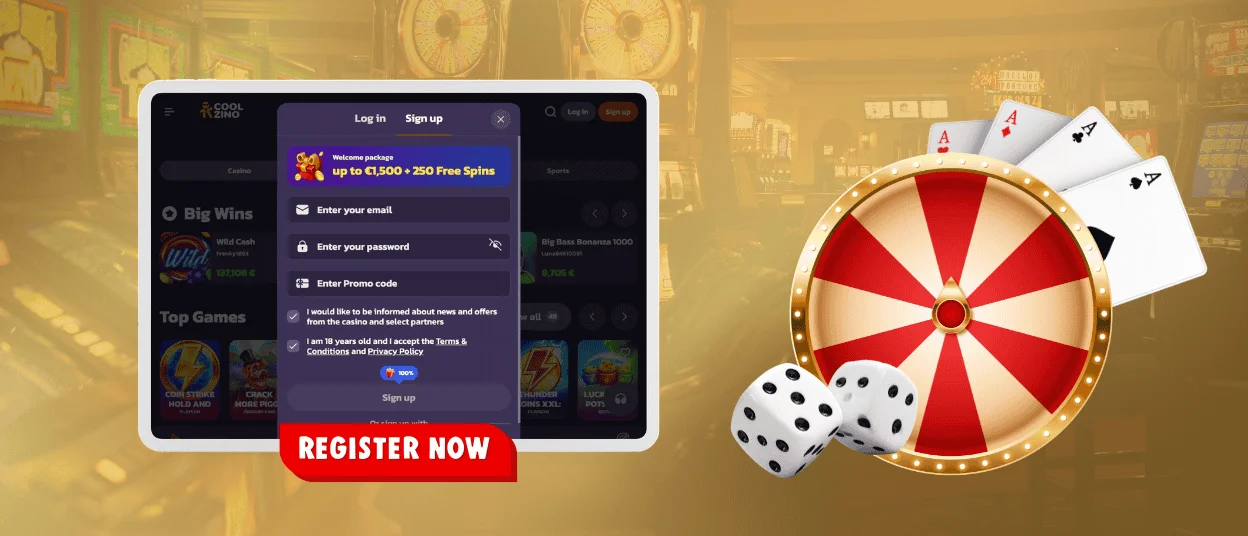
To start the process, click the sign-up button on our website. You need to enter your email address and choose a safe password for your profile. You also must read and accept the Coolzino Casino terms and conditions before you can move forward.
After you finish that first part, the screen will ask for your basic details. Type in:
- your real name
- your date of birth
- your current phone number
Once you save this form, open your email inbox and look for our activation message and click the link inside that email to activate your Cool Zino account immediately. If the message does not appear within a minute, check your spam folder.
Log in and Manage Your Coolzino Casino Account
The Coolzino login is very simple. Click the log-in button, type your registered email and password, and confirm. If you used your Google account during registration, you can log in with a single click without typing your details every time. Inside your account, the main dashboard gathers all your options in one central place.
| Dashboard Section | What You Can Do |
| Game Library | Search for titles and save your favorite games |
| Wallet & Banking | Put money in, request payouts, and see your history |
| Rewards Centre | Turn on active bonuses and check wagering progress |
| Profile & Settings | Update your personal details and change your password |
| Gaming Controls | Set your deposit limits and take temporary breaks |
| Support Options | Talk directly with our team and change your notifications |
How to Log in via Mobile App
Logging in on a smartphone works the same way as on a computer. You can use your standard email and password or choose the Coolzino login through Google. On iOS devices that support it, you can use Face ID to enter your account instantly without typing any text. Once you install our web app from our website, the home screen shortcut connects straight to your dashboard with a single tap. All your details and balances stay exactly the same across both versions.
Common Coolzino Login Problems
Most login issues happen because of tiny mistakes that take a minute to fix. A wrong password error can be due to your Caps Lock key being turned on or you made a small typo. If the system says it cannot find your account, you might have used a different email address when you first signed up. When the Cool Zino login page does not load at all, clearing your browser cache or opening an incognito window fixes the problem right away.
Forgot Your Password?
If you cannot remember your password, click the reset link on our login page. Type the exact email address you used when you registered your Coolzino Casino account. We will send a secure password reset link to your inbox within a few seconds. Open that email, click the button inside, and choose a new password to get back into your profile. If you do not receive the email at all, our support team via live chat can help you fix the issue manually.
Verification at Cool Zino Casino
We require all members to verify their Coolzino profiles before we can process any payouts. Our team reviews your uploaded documents within 48 hours, but we often finish much faster. It is best to upload your files and complete the verification process right after you register to avoid any hold times when you win.
| Document Type | What We Require |
| Identity | A valid passport or a national ID card |
| Address | A utility bill or bank statement from the last three months |
| Payment | A photo or screenshot proving ownership of your banking method |
FAQ
What should I do if I suspect fraud or unauthorized access to my Coolzino Casino account?
Change your password immediately through the security settings in your profile dashboard. After that, open our live chat and tell our support team so we can check your recent Coolzino login history and secure your balance. You can text in your language because we offer multilingual support.
Is identity verification mandatory for all withdrawals?
Yes, you will be required to verify your identity before being able to withdraw any money from Coolzino Casino. This is in place to help us prevent fraud and keep your money safe. You’ll have to complete it just once (before the first withdrawal).
Can I reopen a closed Cool Zino account?
If you closed your account for a regular break, you can ask our support team to open it back up for you. Accounts that were closed under strict self-exclusion rules must remain closed until your chosen time limit officially ends.


